

Pair Sail with Nexus
Sail sends every model call, web search and tool call through Msty Nexus. Until it’s paired, nobody can chat.
Pairing takes a minute. You ask from Sail, a Nexus admin approves, and Sail gets its own access. No keys to copy.
Before you start
Section titled “Before you start”- You’re an owner or admin in Sail.
- You know your Nexus address, such as
https://nexus.example.com:3939. - You, or someone you can ask, can approve apps in Nexus.
- Sail can reach that address. Nexus never needs to reach Sail.
- Your Nexus has Connected apps, which pairing needs. With an older Nexus (0.7 or later), connect with an access token instead.
- Go to Admin → Nexus.
- If Sail is already connected, click Change connection.
- Under Pair with Nexus, enter the Nexus address.
- Click Pair with Nexus.
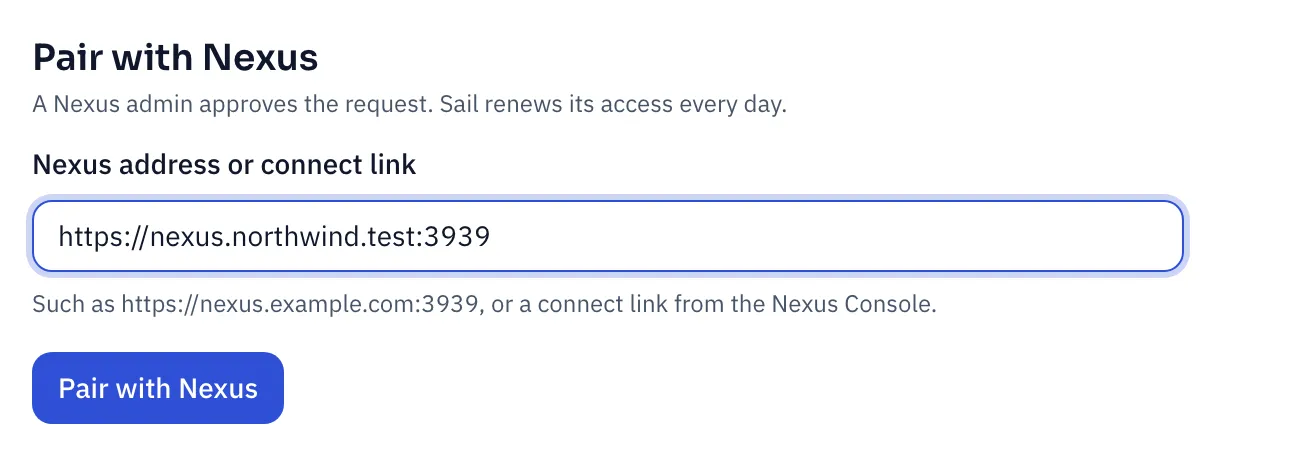
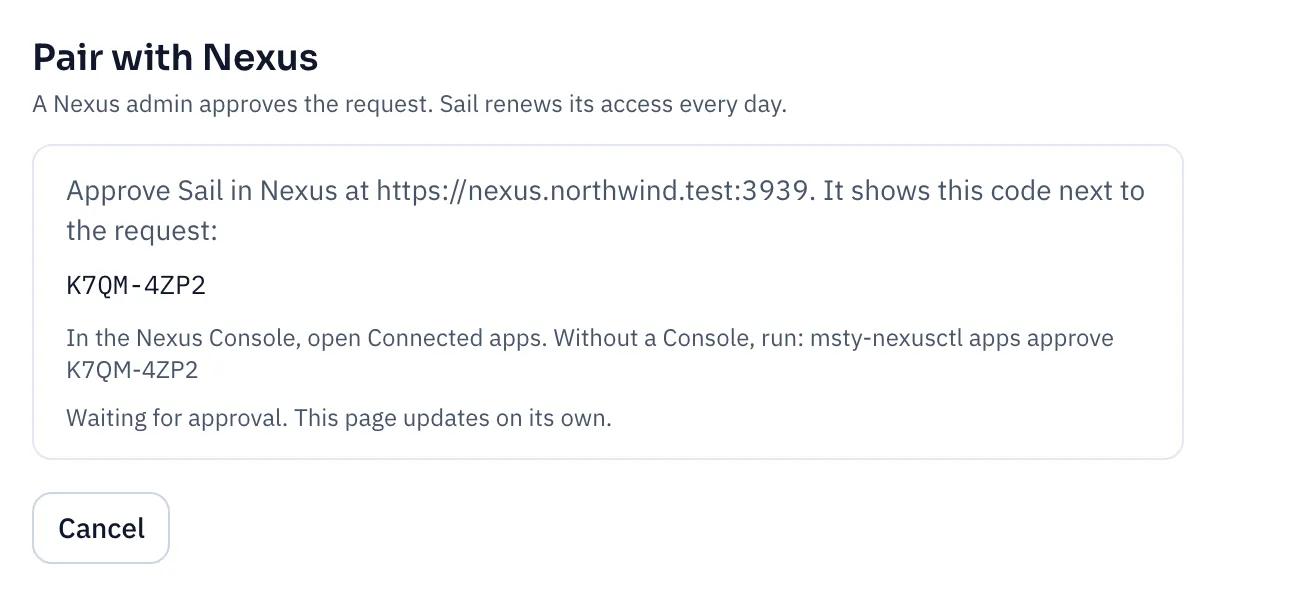
Sail shows a pairing code and waits.
Approve in Nexus
Section titled “Approve in Nexus”Check that Nexus shows the same code next to Sail’s request, then approve it.
-
With the Nexus Console: open Connected apps and approve the request.
-
Without a Console: on the Nexus host, run:
msty-nexusctl apps approve K7QM-4ZP2
Back in Sail, the page updates on its own and says Paired with Nexus. You don’t need to refresh.
Check the connection
Section titled “Check the connection”Admin → Nexus now shows the connection.
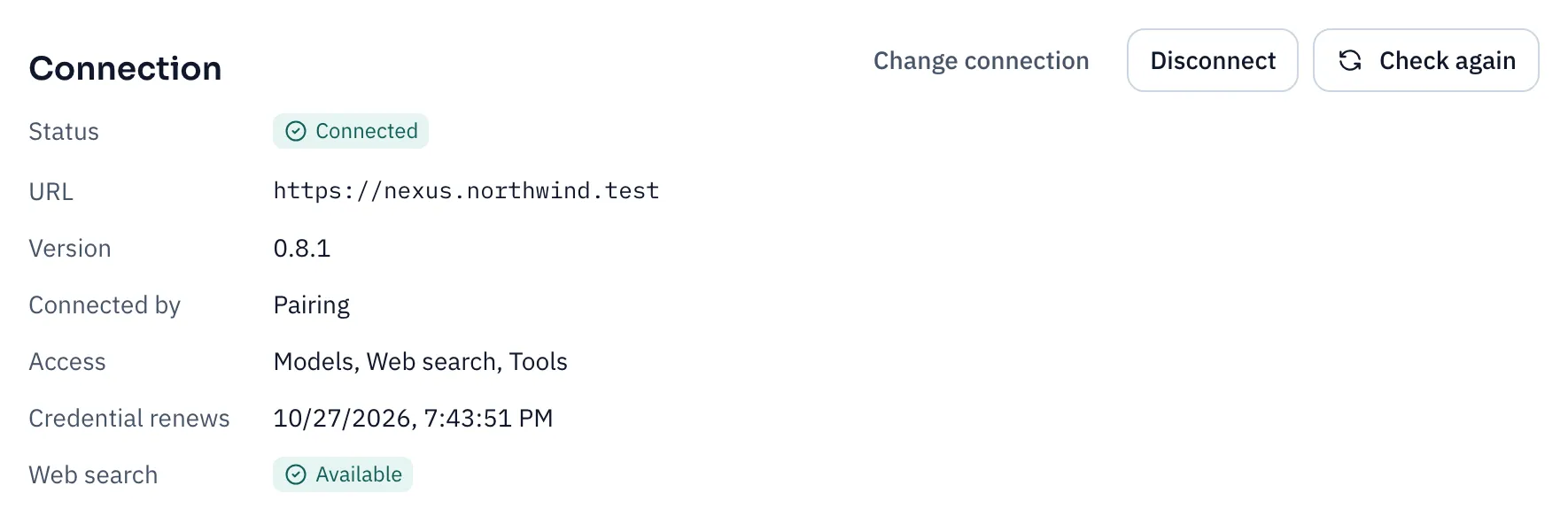
- Access lists what Nexus allowed: models, web search and tools.
- Credential renews is when Sail next swaps its access for a fresh one. That happens every day, on its own.
- Web search says whether this Nexus offers it.
- Models, further down, lists every model Sail can use.
Added a model in Nexus? Click Check again to see it in Sail.
If something goes wrong
Section titled “If something goes wrong”| What you see | What to do |
|---|---|
| Sail can’t reach Nexus | Check the address and port from the Sail server. If Nexus is on a private network, add its host to SAIL_OUTBOUND_ALLOW. |
| Nexus is too old | Sail needs Nexus 0.7 or later. Upgrade Nexus, then pair again. |
| Chats say to pair again | Someone revoked Sail in Nexus, or its access expired. Pair again from Admin → Nexus. |
| No models listed | Add a chat model in Nexus, then click Check again. |
Disconnect
Section titled “Disconnect”Click Disconnect on Admin → Nexus. Chats stop working until you pair again.
You can also revoke Sail from the Nexus side. Within a minute, Sail shows that Nexus disconnected it.
Connect with an access token
Section titled “Connect with an access token”Use a token when your Nexus doesn’t have Connected apps yet, or when you script the install and can’t click through pairing.
-
On the Nexus host, create a token for Sail:
msty-nexusctl tokens create --name "Sail" --role inference -
In Sail, go to Admin → Nexus, click Change connection, then Use an access token.
-
Enter the Nexus URL and the Access token, then click Save connection.
For a scripted install, set SAIL_NEXUS_URL in .env and put the token in secrets/nexus-token instead. See Connect Nexus.
Pairing is better when you can use it:
| Pairing | Access token | |
|---|---|---|
| Renews on its own | Yes, every day | No |
| Cost in usage reports | Yes | No, replies and tokens only |
| Shows Sail as a connected app in Nexus | Yes | No |
What Nexus sees
Section titled “What Nexus sees”- An ID for each person, never their name or email. Nexus uses it to report usage per person.
- The chat ID, so a conversation stays on one model server and caching works.