

Policies
Policies are your company’s rules for Sail: who gets which features, how much they can use, and how long things are kept. Go to Admin → Policies.
Sail enforces every policy on the server. Hiding a button is just a courtesy. Even someone who pokes at the API can’t get past a policy.
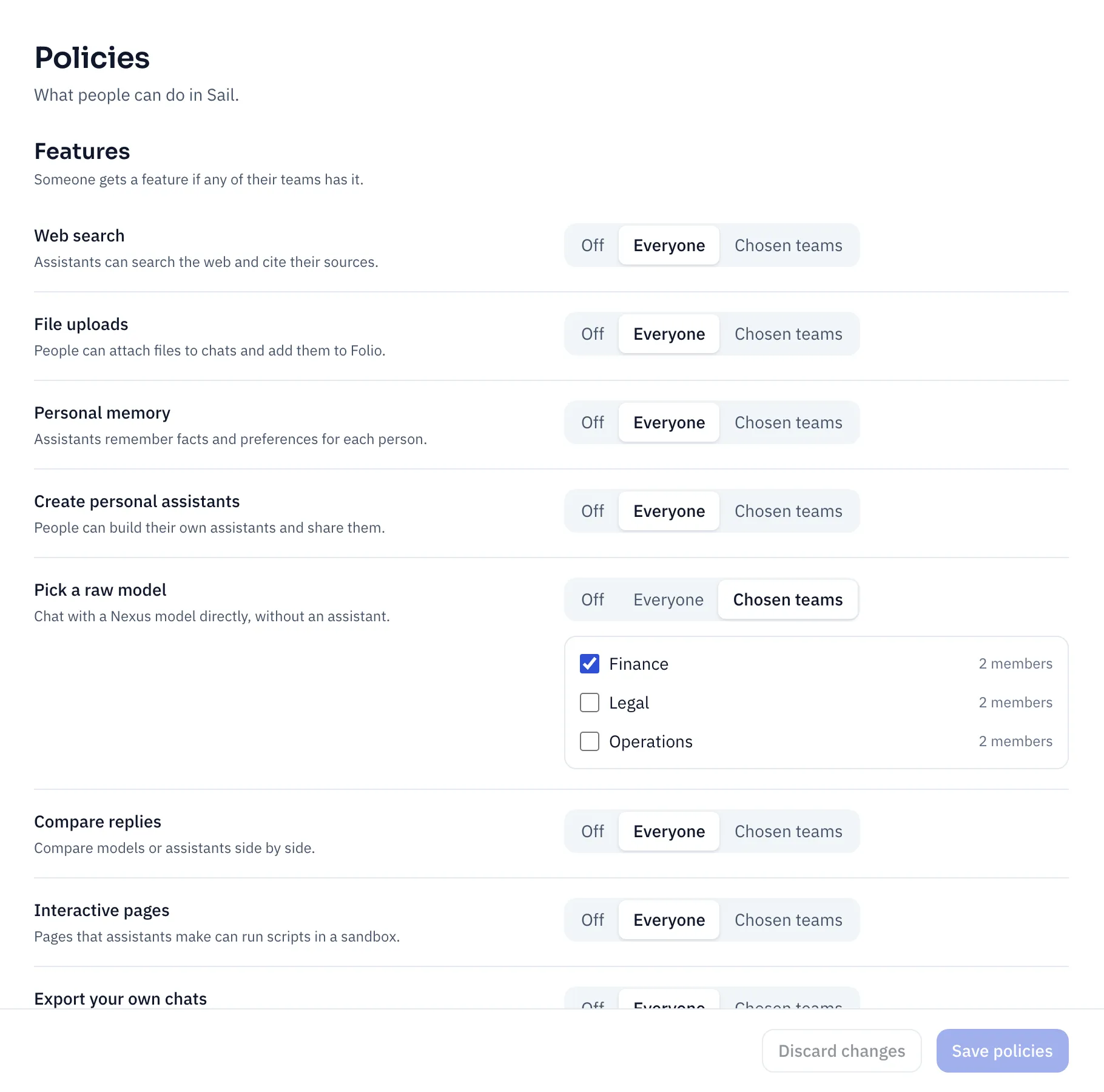
Change what you need, then click Save policies. Everyone gets the change within a minute, and the audit log records exactly what changed.
Features
Section titled “Features”Each feature is Off, Everyone, or Chosen teams. With Chosen teams, tick the teams that get it. Someone gets a feature if any of their teams has it.
| Feature | Default | Turn it off, or limit it, when |
|---|---|---|
| Web search | Everyone | Your company doesn’t want queries leaving through any search provider. |
| File uploads | Everyone | You’re piloting Sail and want to keep company files out until you’re ready. |
| Personal memory | Everyone | Works council or local rules ask for it. People’s custom instructions still apply. |
| Create personal assistants | Everyone | You want every assistant to go through your admins. People can still use company and team assistants. |
| Pick a raw model | Off | Turn it on for a team that evaluates models and needs every model Nexus offers. |
| Compare replies | Everyone | You want to keep costs down: each comparison runs two to four replies. |
| Interactive pages | Everyone | Your security team prefers no scripts at all. Pages then show without their scripts. |
| Export your own chats | Everyone | Chats must not leave Sail as files. Export all my data still works, as data protection law requires. |
Limits
Section titled “Limits”Each limit has a Default, which everyone gets, and a Maximum, the most any team can raise it to. Tick No limit to leave one open.
| Limit | Default | Example |
|---|---|---|
| Upload size (MB) | 50 MB default and maximum | Keep 25 MB for everyone, with a 100 MB maximum so Finance can upload big workbooks. Then set Finance’s own limit on its team page. |
| Messages per hour | No limit | Set 60 for everyone if a few heavy users are driving up costs. Raise it for the analysts’ team. |
Teams can only raise a limit, never lower it. A single upload can’t go over 512 MB, whatever you set.
People see their own limits under Your usage in the account menu.
Data and sessions
Section titled “Data and sessions”These apply to the whole organization. Teams can’t change them.
| Setting | Default | When to change it |
|---|---|---|
| Chat retention | Keep chats forever | Your data policy says chats are kept, say, two years. Idle chats then move to the trash and are deleted 30 days later. |
| Chats of people who left | 90 days | How long a departed person’s chats are kept before they’re deleted. Shorten it if your policy demands; lengthen it for a longer handover. |
| Audit log | 365 days | Your compliance rules require a longer record. The minimum is 30 days. |
| Sharing | Within the organization | Turn Off if chats and files must not be shared at all. Sharing never reaches outside your company either way. |
| Idle timeout | 12 hours | People must sign in again after this long without using Sail. Shorten it for shared or high-risk devices. |
| Longest session | 7 days | Everyone signs in again after this long, however active they are. |