

Sail Docs
A Sail Doc is a document you write and edit right in Sail. The difference from asking for a Word file: when the AI changes a Sail Doc, it doesn’t rewrite the whole thing. It suggests edits, and you decide on each one.
Use a Sail Doc for anything you’ll go back and forth on: a project plan, a policy draft, meeting minutes, a board update.
Start one
Section titled “Start one”- From scratch: in Folio, click New document.
- From a chat: ask “Write the cutover plan as a Sail Doc.” The assistant drafts it and a card appears in the reply.
Write and format
Section titled “Write and format”Type straight into the page. The toolbar has the usual: headings, bold and italic, lists, quotes, code, tables and links.
Sail saves as you go. Each pause in typing makes a new version, so you can always go back.
If someone else changed the document at the same time, Sail tells you instead of overwriting either edit. Click Reload to see the newest version.
Get suggestions from the AI
Section titled “Get suggestions from the AI”- Click Ask Sail to edit.
- Say what you want, such as “Tighten the risks section and add a rollback step.”
- Send.
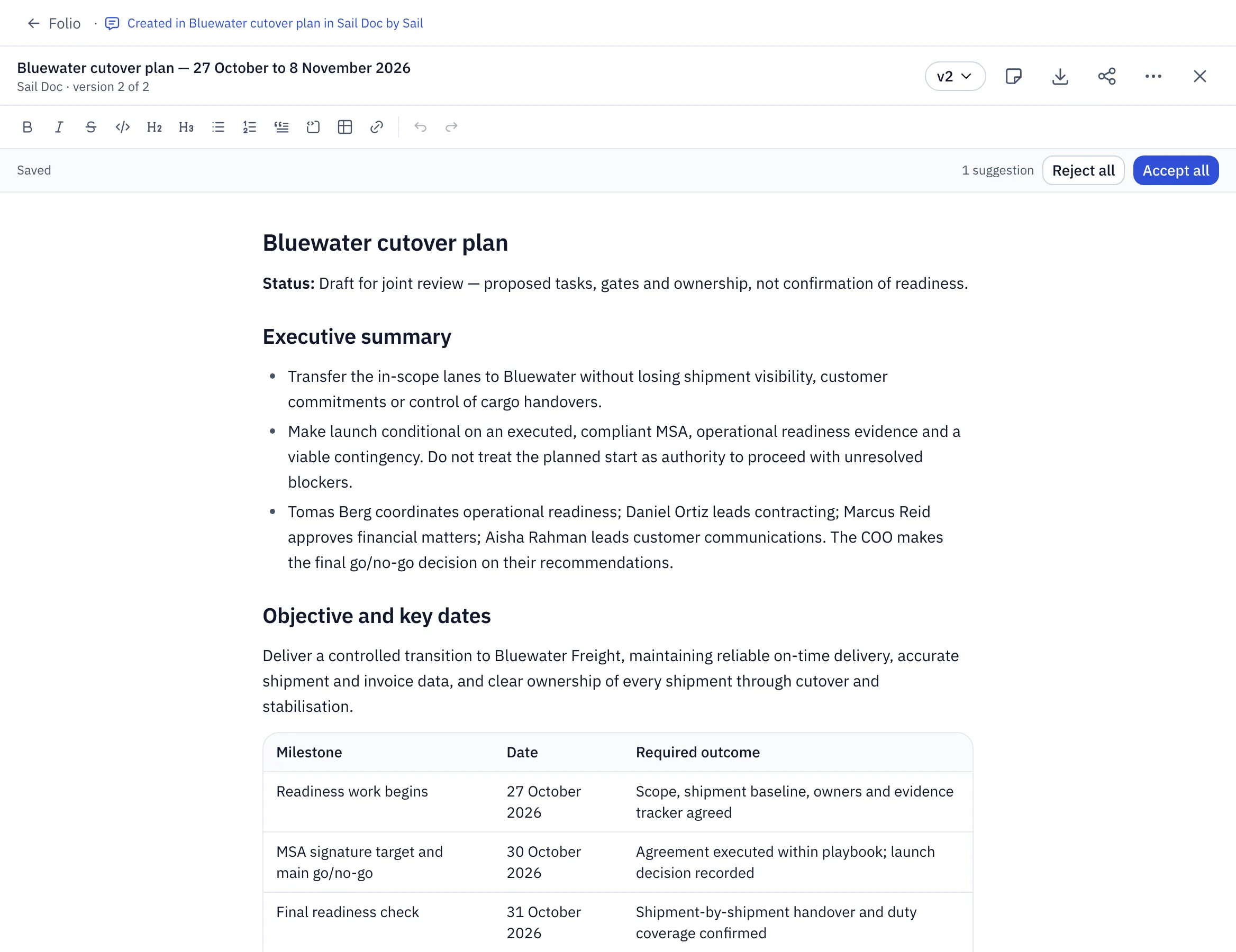
Each change shows in place, marked as a Suggested rewrite, Suggested addition or Suggested removal.
- Accept or Reject each one.
- Agree with everything? Accept all.
- Not a single change you want? Reject all.
Nothing changes in your document until you accept it. Your own edits are never overwritten by a suggestion.
Review it like an editor
Section titled “Review it like an editor”Reading a draft and spotting several things? Leave notes as you go, then send them all at once.
- Select some text and click Add note.
- Write what should change: “Name the owner for this step.”
- Repeat as you read.
- Click Revise with 4 notes.
The assistant gets every note in one message and comes back with suggestions for each. Your sent notes stay listed, marked Sent.
Hand it on
Section titled “Hand it on”- Export turns it into Word, PDF or Markdown, for people outside Sail.
- Share lets colleagues read it. Only you can edit it.